

Sales & Performance
Review sales activity and performance trends in a more readable format.

Satianix AMZ brings Amazon reporting, account activity, communication and operational follow-up into one client workspace. Review performance, find account updates and follow the work AM Services is doing without piecing together exports and email threads.
Built for active Amazon accounts and the day-to-day work behind them.
Seller Central holds useful information across sales reports, advertising views, inventory screens, cases and account health. Finding the answer to a simple question can mean checking several areas.
Satianix AMZ brings the information clients use most often into a single view, alongside the work and conversations it relates to. Seller Central remains the underlying Amazon platform.
Review sales activity and performance trends in a more readable format.
See advertising information and account context without treating campaign data as an isolated report.
Keep visibility on inventory-related activity, FBA status, and operational follow-up.
Review listing-related activity and product information that affects the account.
Keep important account-health information visible instead of waiting for problems to become urgent.
Use structured reports and visual dashboards to understand performance without manually assembling every file.
Keep updates, messages, cases, tasks, notes, and files connected to the Amazon work being discussed.
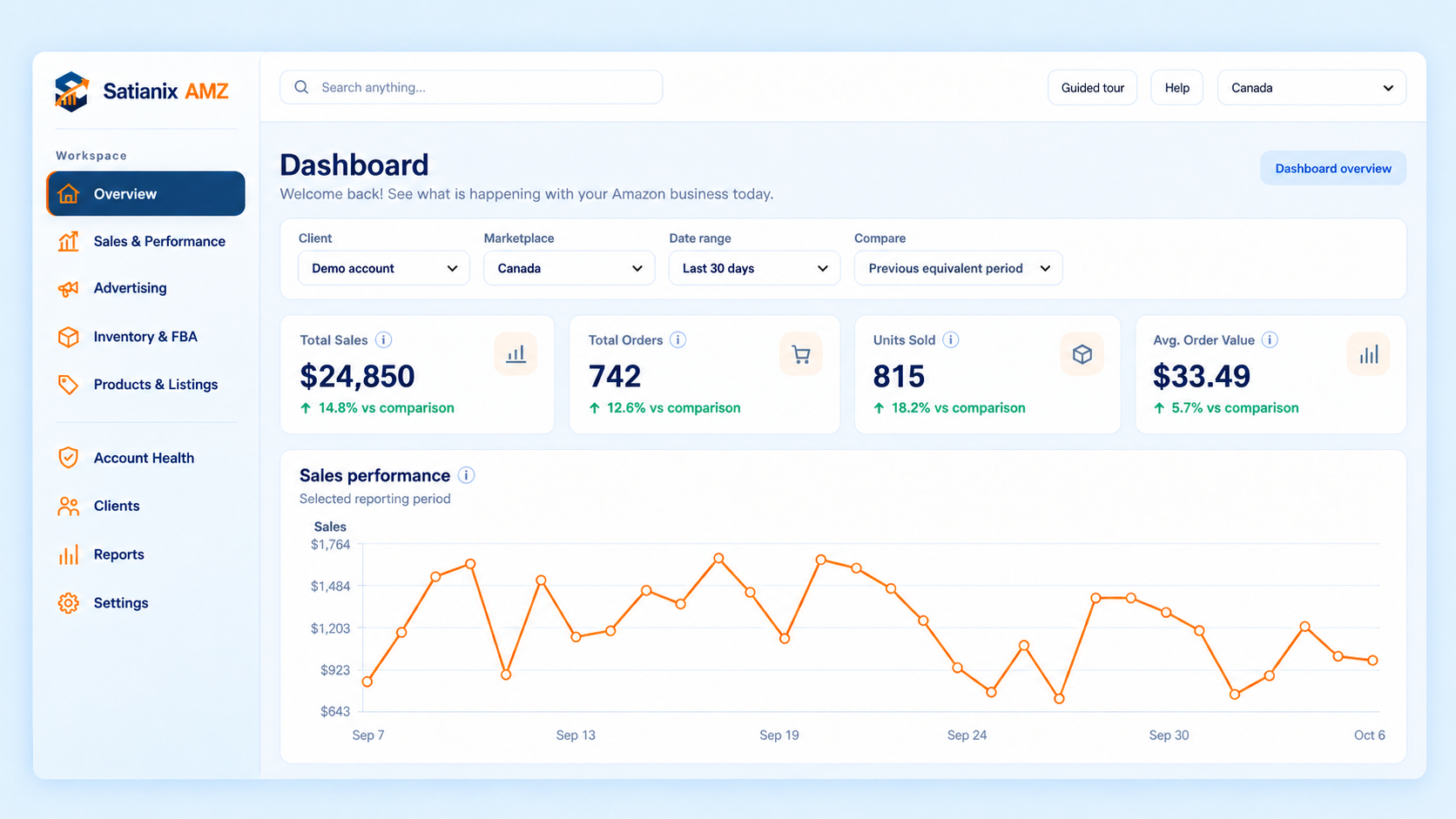
The main dashboard gives clients a direct view of the account areas AM Services works with every day. Performance, advertising, inventory, listings, account health, reports, and follow-up are easier to navigate without relying on multiple disconnected updates.
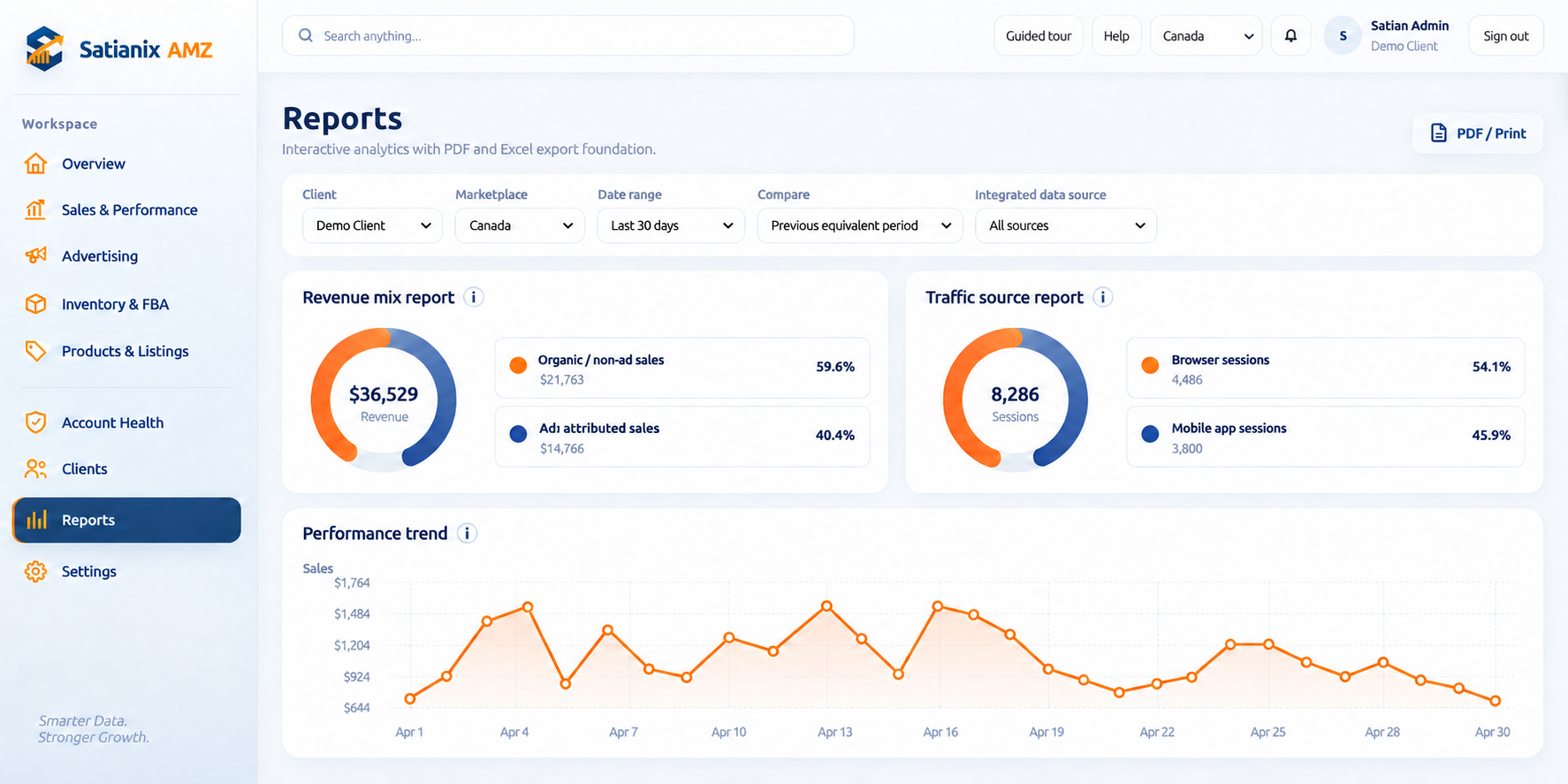
Reports bring together performance information in a cleaner format. Clients can review revenue mix, traffic sources, performance trends, date ranges, marketplace views, and comparison periods without manually rebuilding the same analysis every time.
PDF and print options make it easier to share or keep a record of the report when needed.
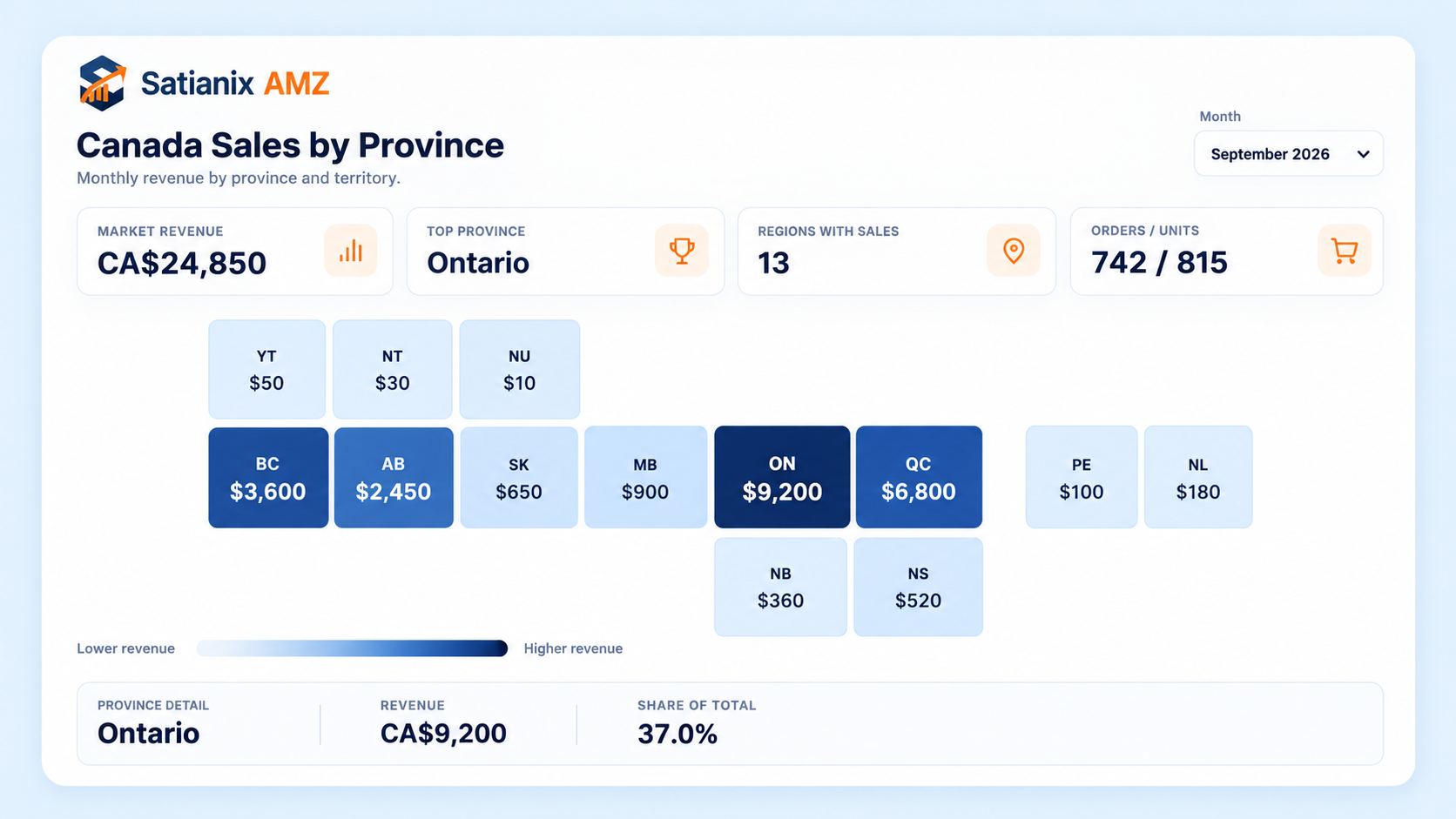
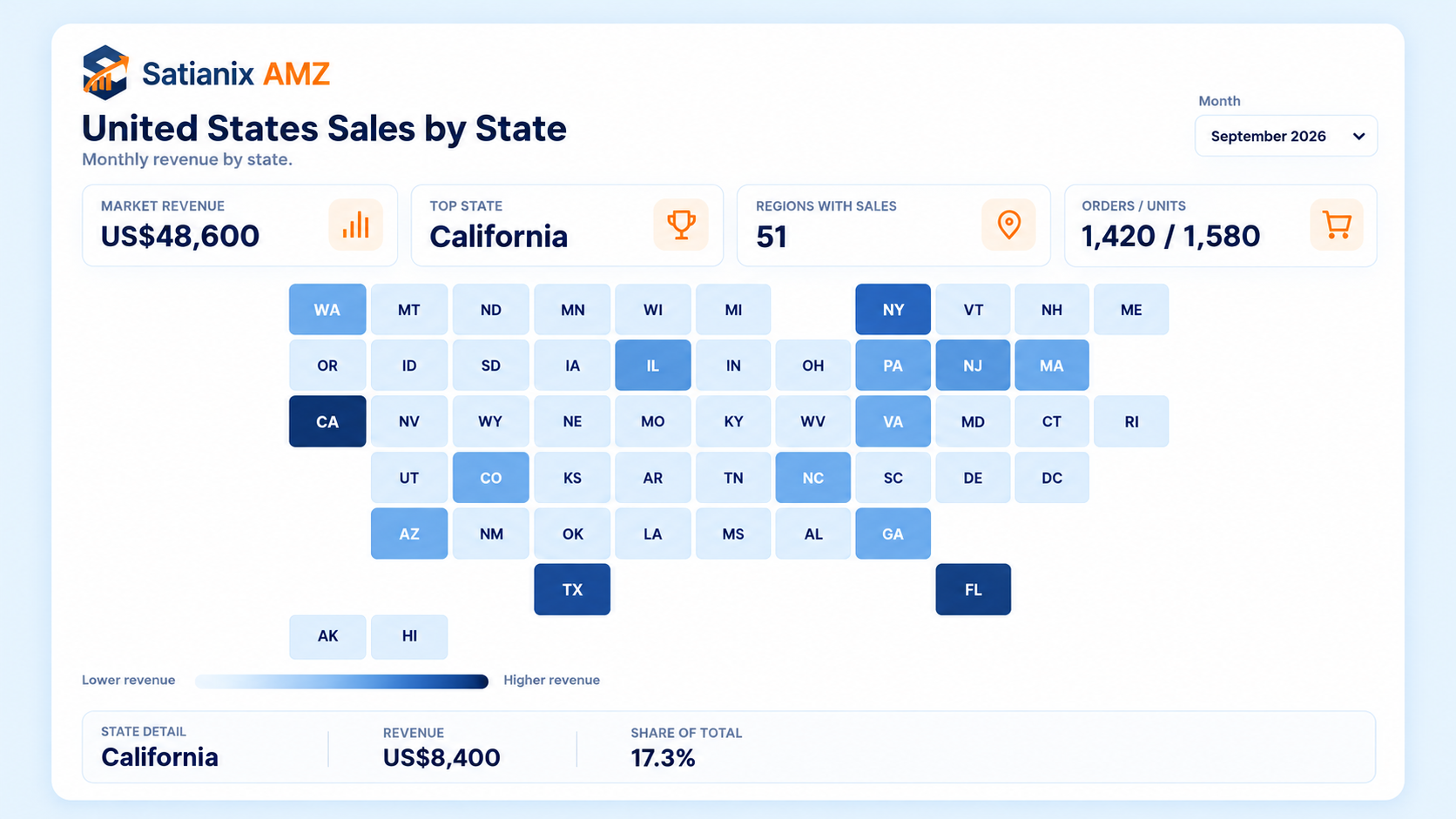
Regional reporting gives clients a faster way to understand geographic sales patterns. Instead of working through long exports, the map view can show where sales are concentrated by province or state and make regional changes easier to identify.
This is particularly useful for businesses selling across multiple regions and marketplaces.
Client communication works better when the message, the task, the case, the file, and the account context are not separated.
The Communication workspace brings messages, cases, tasks, notes, and shared files into the same operating environment. Clients can follow updates, respond to the team, revisit previous discussions, and see related follow-up without searching across multiple email threads.
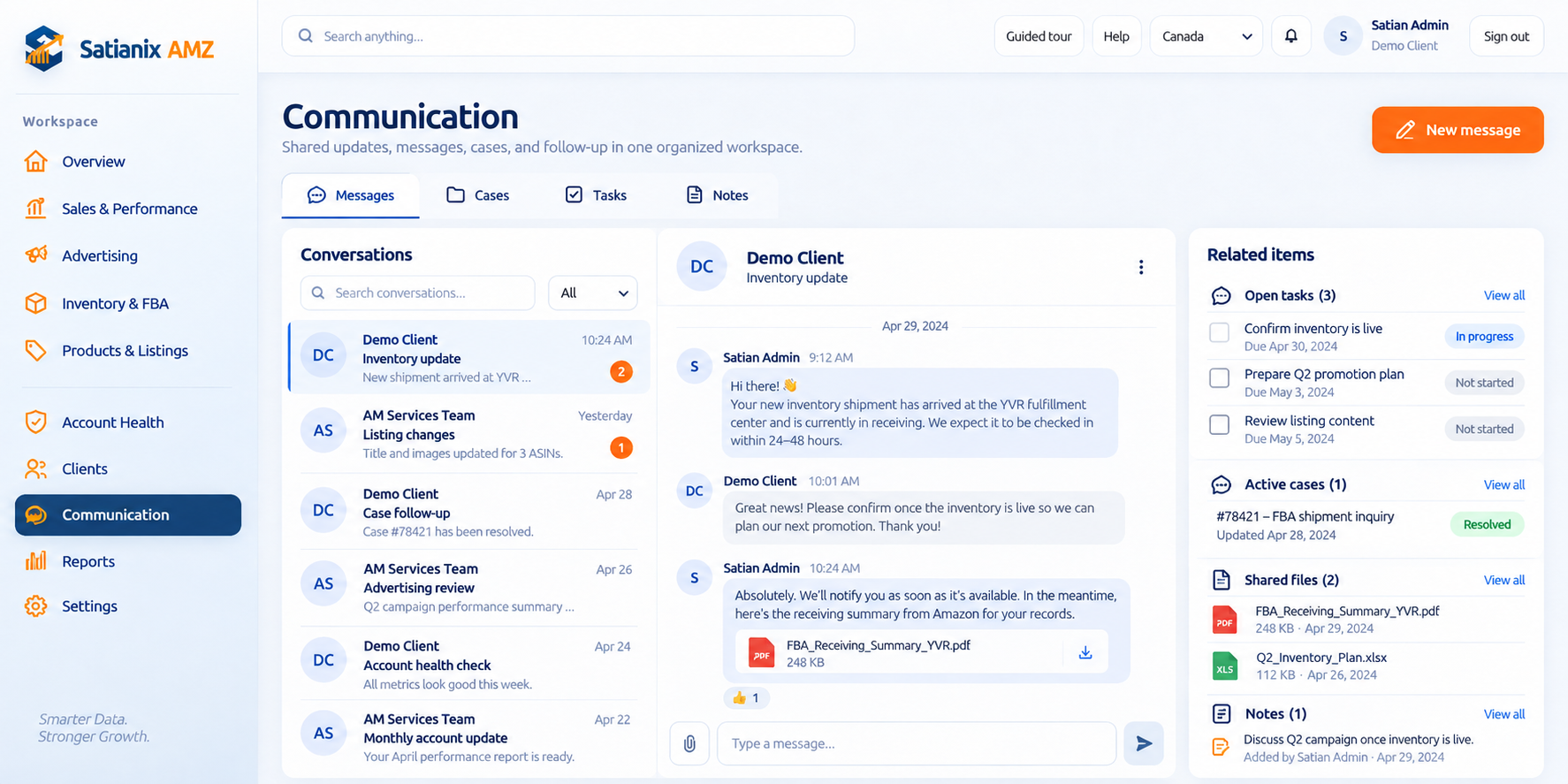
Review what changed, where it happened and who needs to act next. The portal gives clients enough context to discuss the account without rebuilding the analysis themselves.
An inventory question needs the receiving update. A listing change needs the product context. Keeping these details with the conversation makes the next action easier to identify.
Satianix AMZ is designed so that each client works with the information connected to their own account and company access.
Client data is used to provide reporting, account visibility, communication, and operational support for that client. It is not intended to be reused for unrelated client work, sold to third parties, or repurposed for unrelated marketing or commercial activity.
Access is limited to the client’s authorized users and the AM Services team members who need that access to perform the agreed work.
The purpose is simple: give the client better visibility into their own Amazon operation without turning their account information into a separate data product.
For teams that need regular account visibility without requesting a new export, spreadsheet or email update for every question.
Authorized users receive access to the workspace connected to their company.
Reporting and operational views are tied to the client’s Amazon activity and service scope.
Performance, reports, communication, tasks, cases, notes, and files can be reviewed in one environment.
The portal supports the ongoing work instead of replacing the people doing it.
Access the portal to review your account visibility, reporting, communication, and operational follow-up.